01 / LEGACY
R21 Legacy
A starting preset for R21 and Python 2.7-compatible plugin source.
R21-Legacy-Profile-0.1.1.zipGet this profile with the adapter ↗MICHELE PLUGIN ADAPTER / PORTABLE 0.1.1
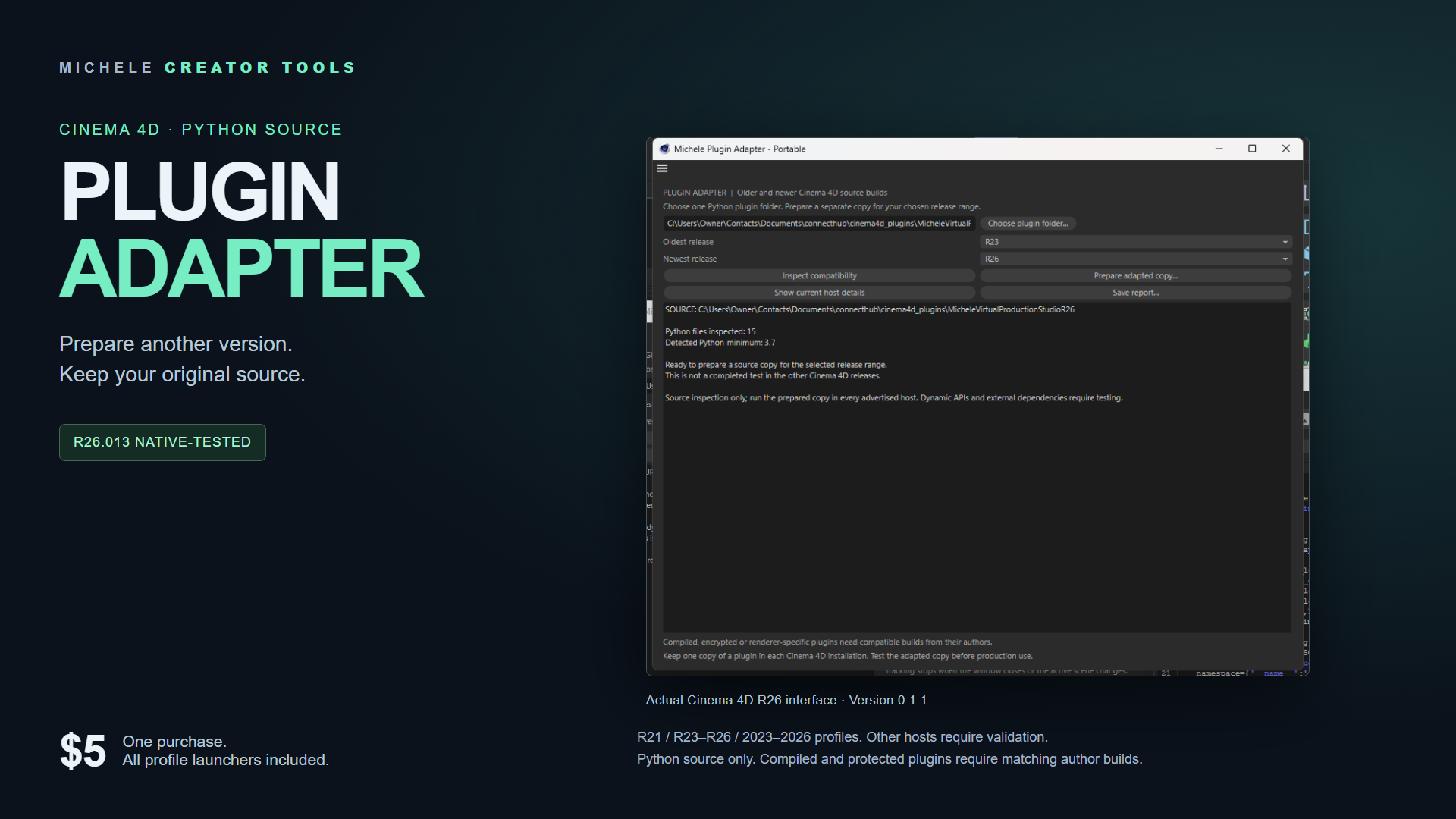
Inspect your Cinema 4D Python plugin source. Prepare a separate copy for another release profile. Keep your original files.
One purchase includes every profile. No adapter subscription.
DOWNLOADS
Buy on your preferred store. After checkout, your receipt or library provides all four ZIP files. Download one preset, or choose the all-profile package.
01 / LEGACY
A starting preset for R21 and Python 2.7-compatible plugin source.
R21-Legacy-Profile-0.1.1.zipGet this profile with the adapter ↗02 / CLASSIC
A starting preset for R23 through R26. Windows R26.013 was tested.
R23-R26-Profile-0.1.1.zipGet this profile with the adapter ↗03 / RECENT
A starting preset for releases using year-based version numbers.
2023-2026-Profile-0.1.1.zipGet this profile with the adapter ↗Each filename starts with Michele-Plugin-Adapter-. The fourth file, Michele-Plugin-Adapter-Portable-0.1.1.zip, includes all launchers. The presets share the same adapter code with different startup defaults; install just one copy.
TRY BEFORE YOU BUY
Select one plugin folder in Cinema 4D Script Manager. The checker reads its Python source and flags parse errors, compiled binaries and protected files. It does not execute or change the selected plugin.
A clean scan does not prove that a plugin runs. External modules, renderers and missing host features still need testing.
CHECK YOUR SOURCE FIRST
Use the same workflow for each plugin whose source you are entitled to modify. Compatibility depends on the plugin, its dependencies and the target release.
| Plugin or workflow | What to expect |
|---|---|
| Editable Python source | Inspect source, prepare a separate copy, use private older/newer dialog API aliases and explicit host/Python/platform routing. |
| R26.013 on Windows | Native interface and profile checks passed. The retail adapter passed 14 automated tests. |
| R21, R23 and 2023–2026 | Preparation presets are included. Native testing on these releases remains unverified. |
| Compiled C++ or protected plugins | Requires a compatible build or editable source from the author. The adapter cannot convert these binaries. |
| Python 2 ↔ Python 3 | Requires compatible source. Modern Python code is not automatically backported to R21. |
| Renderers, native modules or removed features | Requires compatible dependencies and host features. An adapter cannot supply a missing renderer or feature. |
| macOS and Linux | Not validated. Test on the intended computer and Cinema 4D release before production use. |
This is a source compatibility tool, not a universal converter. Cinema 4D, renderers, third-party plugins and separately sold Michele studios are not included. Original licensing code and target-plugin registration IDs are preserved.
START HERE
Run the adapter from Cinema 4D Script Manager. No adapter command registration or extra activation service is required.
Extract the free checker ZIP. Open Check Plugin Compatibility.py in Script Manager, execute it, then select your plugin folder.
After purchase, extract one complete adapter ZIP. Open its Open Plugin Adapter.py launcher in Script Manager and execute it.
Choose your source folder, review the report and set a destination outside the original folder. Select the intended release profile.
Follow the included installation guide. Confirm loading, dependencies, scene saving and the plugin's actual tools in the target release.
Send the plugin name, Cinema 4D release, operating system and checker report to support@connecthub.tv. Keep license keys and private source out of your message.