01 / MOVEMENT
Motion Studio
Capture body and hand movement from video, or work with supported SlimeVR and phone inputs. Bring source animation into Cinema 4D.
PERFORMANCE IN. CHARACTER OUT.
Human performance. Animal movement.
Four desktop tools for your next Cinema 4D animation.
15-second clips. No card needed. Create in your browser or use the desktop tools.
MOTION FACE
 VOICE
 ANIMAL
ONE CREATIVE WORKFLOW
Start with a performance.
Make the animation your own.
01 / MOVEMENT
Capture body and hand movement from video, or work with supported SlimeVR and phone inputs. Bring source animation into Cinema 4D.
02 / EXPRESSION
Face Studio 1.6.0 turns facial video into character expressions. Try the included sample face, 145 expression dials, 15 visemes and a sample test performance before connecting your own character.
03 / DIALOGUE
Build lip motion from recorded dialogue. Refine the mouth shapes and waveform timing, then bake the performance into your scene.
04 / ANIMAL MOVEMENT
Guide landmarks on animal video, track and correct them, then export animated BVH bones. Nine species profiles with template and user-guided depth.
NEW FOR CINEMA 4D R26
Auto Rig 0.7.0 and Face Studio 1.6.0.
Transfer an animated source skeleton directly onto character bones, or use BVH Auto Transfer. Keep editable body keys, character geometry and skin weights in a new scene.
Get the R26 transfer plugin ↗Prepare and preview a matching T or A pose before transfer. The complete captured performance follows one frame later. Use your target's neutral pose and a compatible source reference or known Motion Studio bone axes.
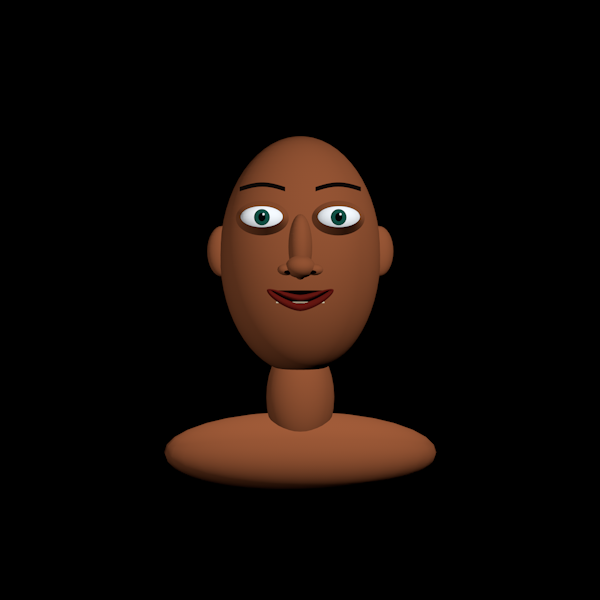
Click Create sample face in Face Studio. Test expressions, 15 visemes, your own capture, or the included four-second synthetic performance. Bake and save .c4d to test playback.
Download Face Studio 1.6.0 ↓A PLAN FOR YOUR NEXT TAKE
Every plan includes all four desktop studios.
Human Motion, Face and Voice also run in the browser.
Free
Get a feel for the workflow.
No payment details required.
Short Clip
Make room for a longer take.
Renews monthly. Cancel in your billing portal.
Full Studio
The full suite. A whole month to create.
Renews monthly. Cancel in your billing portal.
Prices in USD. Clip limits apply to each imported video or audio performance in the browser and desktop tools. Full Studio includes human live capture and browser takes up to 30 minutes; Animal takes support up to ten minutes. Paid features stop when the paid period ends; the free 15-second allowance remains available. Existing baked animation stays yours. Studio plans are separate from ConnectHub film and creator memberships.
FIND YOUR FIT
The Free plan fits a 15-second clip.
FROM ACCOUNT TO ANIMATION
Use your ConnectHub account. Start free or choose a monthly membership.
Start in the browser, or download the desktop apps and load your personal activation files.
Import a video or recording, connect your prepared character rig, and make it move.
YOUR CREATIVE SPACE
Sign in to save browser performances, choose your plan, or download the desktop studios and activation files.
Sign in to ConnectHub ↗New here? Create a ConnectHub account.
Yes. Open the browser animation studio for Motion, Face, Voice and guided Animal capture, character preview, editable controls and animation exports. Browser source files are uploaded privately for duration checks and audio processing, then removed. Private saved takes are retained for seven days, with 2 GB of storage per account. The optional Windows desktop tools keep source files on your computer.
Try video and audio imports in all four browser studios, including guided Animal capture, or use the desktop tools, up to 15 seconds per clip. No card is needed. The $4.99 monthly plan raises that limit to 30 seconds per clip.
You get full studio access during your paid monthly billing period, including live camera or microphone recording. The browser supports human takes up to 30 minutes; guided Animal takes support up to ten minutes within technical limits. Access is checked again during processing and when new exports are created.
Your character needs working facial morphs or wired facial-bone controls, and a weighted body rig for body retargeting. The included picture-led guide explains compatible morph names, User Data, rig wiring and skin weights.
Use a current Chrome or Edge browser with hardware acceleration for the website; no app installation is needed for browser capture. The optional desktop tools are tested with Cinema 4D R26 on Windows. Motion Studio and the video-engine setup use Python 3.10. The optional Voice converter runs without a separate Python or Cinema 4D installation. Follow each product’s setup instructions.
Yes. Open Manage billing from your studio account to change or cancel the membership. Cancellation at the end of the billing period preserves your paid access until that period ends. Your already baked animation remains yours.